Can ChatGPT Upscale Video?

The short answer is no. ChatGPT cannot upscale video directly. It's a language model designed to understand and generate text, not process millions of pixels per second. However, ChatGPT can help you improve video quality indirectly by guiding you to the right tools, explaining technical concepts, and automating parts of your workflow.
This article clarifies what ChatGPT can and cannot do with video, explains why dedicated upscaling tools are still necessary, and shows you the practical ways people combine ChatGPT with video enhancement software to get better results. Understanding this distinction saves time and helps you choose the right approach for your needs.
The Short Answer
For people in a hurry, here's what you need to know:
ChatGPT cannot upscale video directly. It's a text-based AI that processes language, not video files. You cannot upload a video to ChatGPT and get an upscaled version back.
ChatGPT can help you improve video quality indirectly. It can analyze video quality problems, recommend tools, explain technical concepts, and help automate your workflow. Think of it as a knowledgeable guide, not a video processor.
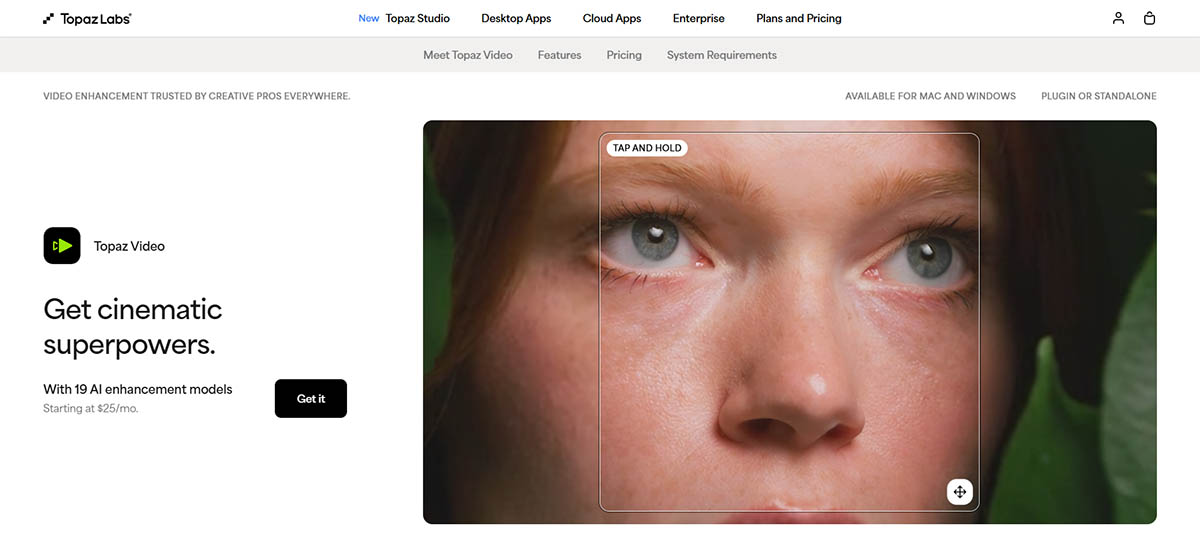
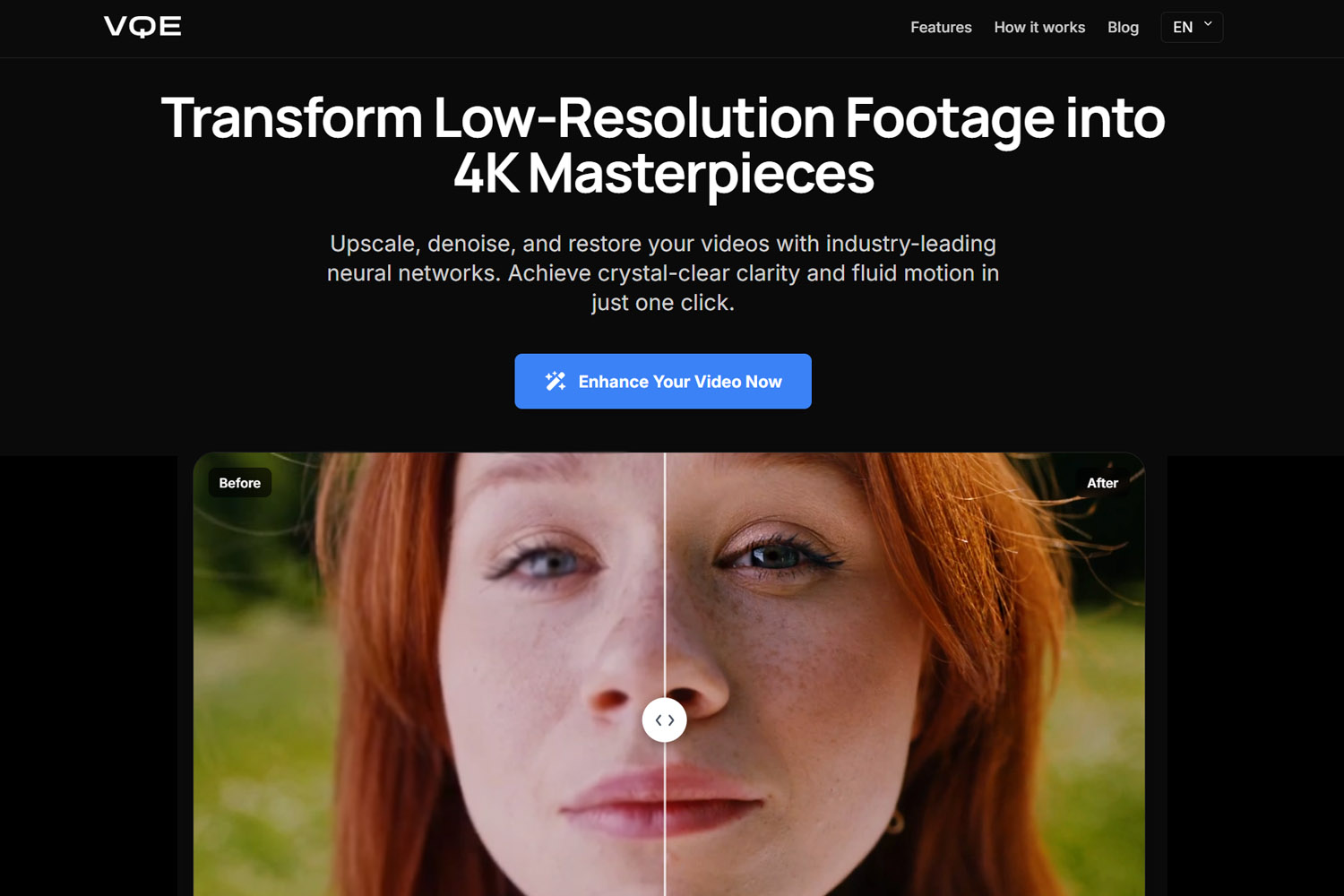
For real upscaling, you still need dedicated tools. Professional video upscalers like Topaz Video AI or cloud solutions like Video Quality Enhancer use specialized neural networks trained specifically for video enhancement. These tools process video at the pixel level, which ChatGPT cannot do.
Why ChatGPT Can't Upscale Video
The explanation is simple: ChatGPT is a brain, not a graphics engine. It understands images conceptually through text descriptions, but it doesn't process millions of pixels per second like video upscaling software does.
The Simple Explanation
ChatGPT is a language model trained on text. It processes words, sentences, and concepts. When you describe a video to ChatGPT, it understands your description as text, not as visual data. It can't see pixels, analyze frames, or process video files.
Video upscaling requires pixel-level processing. Each frame of a 1080p video contains over 2 million pixels. Upscaling to 4K means processing over 8 million pixels per frame. This requires specialized graphics processing units (GPUs) and neural networks trained specifically for visual enhancement. ChatGPT doesn't have this capability.
What ChatGPT Can Actually Do With Video
While ChatGPT can't process video directly, it can help you improve video quality in several practical ways. Understanding these capabilities helps you use ChatGPT effectively as part of your video enhancement workflow.
Analyze Video Quality Problems
ChatGPT can help you identify what's wrong with your video by analyzing your description of the problems. You can describe blur, noise, compression artifacts, or other quality issues, and ChatGPT can explain why the video looks bad and what might be causing the problems.
For example, if you describe a video as "grainy and dark," ChatGPT can explain that this is likely sensor noise from low-light recording conditions. It can then recommend whether upscaling, denoising, or color correction would be most effective for your specific situation.

This analysis helps you understand your footage before choosing enhancement methods, saving time by avoiding approaches that won't work for your particular problems.
Help You Choose the Right Fix
ChatGPT can guide you through the decision-making process of choosing enhancement methods. It can explain the differences between upscaling, denoising, frame interpolation, and other techniques, helping you understand when each approach makes sense.
It can clarify when AI helps and when it doesn't. For example, ChatGPT can explain that AI upscaling works well for low-resolution footage with minimal compression, but struggles with heavily blurred or out-of-focus content. This guidance helps you set realistic expectations and choose appropriate tools. When dealing with blurry footage, ChatGPT can help you understand whether the blur is fixable motion blur or unfixable out-of-focus blur.

Understanding these distinctions is crucial because different problems require different solutions. Upscaling won't fix motion blur, and denoising won't increase resolution. ChatGPT can help you match the right technique to your specific needs.
Automate Parts of Your Workflow
For advanced users, ChatGPT can generate commands, scripts, or settings for video editing software. You can ask ChatGPT to create FFmpeg commands for preprocessing, generate Python scripts for batch processing, or provide optimal settings for specific tools.
This automation saves time when processing multiple videos or setting up complex workflows. ChatGPT can generate the technical commands while you focus on creative decisions, streamlining your enhancement process.
The 3 Real Ways People "Upscale" Video Using ChatGPT
While ChatGPT can't upscale video directly, people use it in combination with other tools to improve video quality. Understanding these approaches helps you see where ChatGPT fits into a practical workflow.
ChatGPT Plus Video Editing Software
Many users combine ChatGPT with video editing software like Premiere Pro or DaVinci Resolve. ChatGPT guides the workflow by explaining settings, recommending filters, and helping you understand what each tool does.
This approach works well for workflow control and understanding your options, but ChatGPT isn't doing the actual enhancement. The video editing software handles the processing, while ChatGPT provides guidance and explanations.
This works well for workflow control, not raw quality improvement. The editing software's built-in upscaling and enhancement features do the actual work, while ChatGPT helps you navigate the interface and make informed decisions.
ChatGPT Plus Dedicated AI Upscalers
The most practical approach combines ChatGPT's guidance with dedicated AI upscaling tools. ChatGPT helps you decide how to upscale, which settings to use, and what to expect from different tools.
Tools like Topaz Video AI (local, GPU-heavy) or Video Quality Enhancer (cloud-based, no GPU) handle the actual enhancement. ChatGPT can explain the differences between these tools, recommend which one fits your hardware and needs, and guide you through optimal settings.
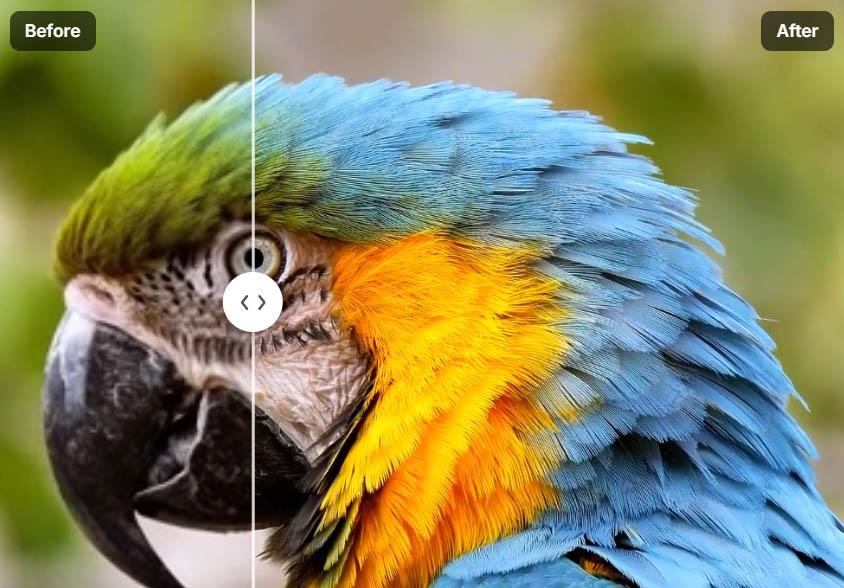
This is where real quality improvement happens. The dedicated upscalers use specialized neural networks trained on millions of video frames, processing your footage at the pixel level to create genuine enhancement. ChatGPT serves as your guide, helping you use these powerful tools effectively.
For example, ChatGPT can explain that Topaz Video AI requires a powerful GPU but offers more control, while cloud solutions like Video Quality Enhancer eliminate hardware requirements but require internet connectivity. This guidance helps you choose the right tool for your situation.
Generative Upscaling: An Important Distinction
There's an important distinction between traditional upscaling and generative video creation. Some tools like Sora or Runway can recreate scenes instead of enhancing existing footage, producing results that look similar but aren't the same video.
Generative upscaling recreates a scene instead of enhancing it. These tools analyze your video and generate new footage that matches the style and content, but they're essentially creating new video rather than improving the original.
The result looks similar, but it's not the same video. This approach can be useful for creative projects, but it's fundamentally different from traditional upscaling, which enhances your existing footage rather than recreating it.
This clarification is crucial because almost nobody explains this distinction well. Understanding the difference between enhancement and generation helps you choose the right approach for your needs and set appropriate expectations.
Why Dedicated Video Upscalers Still Win
Dedicated video upscaling tools remain necessary because they're designed specifically for video processing, with capabilities that ChatGPT and general-purpose tools cannot match.
True Temporal Consistency
Dedicated upscalers maintain temporal consistency across frames, ensuring that enhancement remains stable throughout the video. They analyze multiple frames together, using information from surrounding frames to prevent flickering, crawling, and instability. This temporal consistency is what makes modern AI enhancement viable, preventing the flickering and instability that plagued earlier frame-by-frame approaches.
ChatGPT can explain why temporal consistency matters, but it can't implement it. Only specialized video processing tools can maintain frame-to-frame stability, which is essential for natural-looking enhancement.
Face Stabilization
Professional upscalers use specialized face recovery models that stabilize eyes, skin texture, and expressions across frames. These models are trained specifically on human facial anatomy, allowing them to enhance faces while maintaining natural appearance.
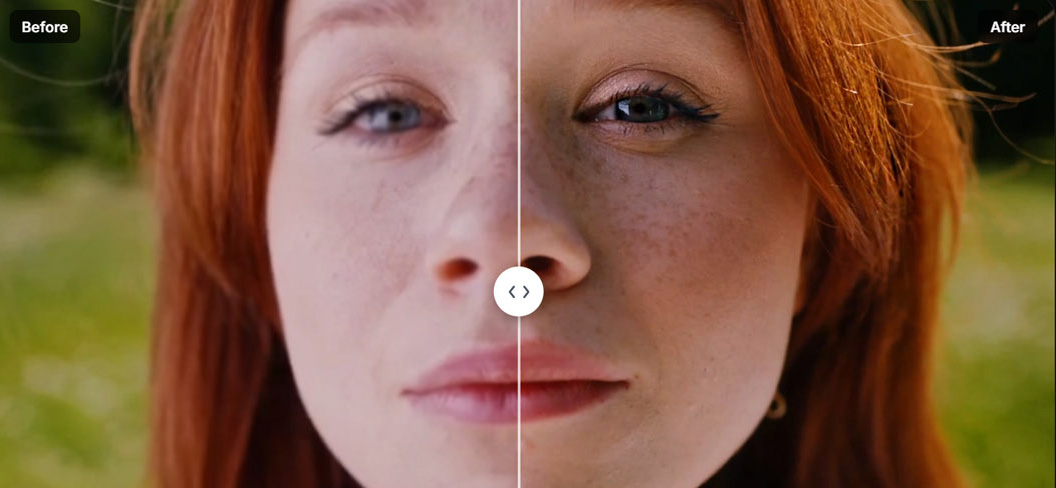
ChatGPT can explain face recovery concepts, but it can't process facial features at the pixel level. Dedicated tools recognize facial structure and generate detail that matches natural human features, which is crucial for footage with people.
Motion-Aware Enhancement
Video upscalers understand how objects move through space, allowing them to enhance motion without creating artifacts. They analyze motion vectors and predict how enhancement should look during movement, preventing warping and distortion.
This motion awareness requires specialized algorithms that ChatGPT cannot provide. Only tools designed specifically for video processing can handle the temporal aspects of enhancement effectively.
Designed for Video, Not Images or Text
Dedicated upscalers are designed for video, not images or text. They understand the unique challenges of video enhancement, including frame-to-frame consistency, motion handling, and temporal coherence.
ChatGPT is designed for language processing, which makes it excellent for guidance and explanation but unsuitable for pixel-level video processing. The fundamental architecture differences mean ChatGPT will never replace dedicated video processing tools.
Chatbots assist. They don't replace render engines. This distinction matters because it helps you understand where each tool fits in your workflow and what you can realistically expect from each.
Common Myths and Why They're Wrong
Several misconceptions exist about ChatGPT's video capabilities. Clarifying these myths helps set realistic expectations and prevents wasted time.
"ChatGPT Can Enhance Video Now"
This is false. ChatGPT cannot enhance video directly. It's a language model that processes text, not video files. While it can guide you to enhancement tools and explain concepts, it cannot process pixels or modify video files.
Some confusion arises because ChatGPT can generate descriptions of enhanced video or explain what enhancement would look like, but this is text generation, not actual video processing. The distinction between describing enhancement and performing enhancement is crucial.
"AI Restores Original Detail"
This is a fundamental misunderstanding of how AI enhancement works. AI doesn't restore original detail that was lost during recording. Instead, it generates plausible detail based on training data and pattern recognition. Understanding this reconstruction vs restoration distinction helps set realistic expectations about what enhancement can achieve.
If a video was recorded at 480p, there's no 4K version hidden in the data. AI creates new detail that looks convincing, but it's reconstruction, not restoration. ChatGPT can explain this distinction, but the actual enhancement still requires dedicated tools that can generate this detail at the pixel level.
"More Sharpening Equals Better Quality"
This is incorrect. Aggressive sharpening often creates artifacts, halos, and unnatural appearance. Quality enhancement requires balanced processing that improves detail without introducing problems.
ChatGPT can explain why over-sharpening is problematic, but understanding this principle helps you use enhancement tools more effectively. The best results come from moderate, well-balanced enhancement rather than aggressive processing.
When ChatGPT Is the Right Tool
ChatGPT excels in specific scenarios where guidance, explanation, and workflow assistance are more valuable than direct processing.
Use ChatGPT When You Want To
Understand why quality is bad. ChatGPT can analyze your description of video problems and explain the underlying causes, helping you understand what went wrong during recording or processing.
Choose the right enhancement method. ChatGPT can guide you through the decision-making process, explaining when upscaling, denoising, or other techniques make sense for your specific footage.
Speed up your editing workflow. ChatGPT can generate commands, scripts, and settings that automate repetitive tasks, saving time when processing multiple videos or setting up complex workflows.
Use a Video Enhancer When You Want
Actual 4K-looking output. Dedicated upscalers process your footage at the pixel level, creating genuine resolution enhancement that looks like native 4K footage.
Stable motion. Professional upscalers maintain temporal consistency, ensuring that enhancement remains stable throughout the video without flickering or crawling.
Clean faces and textures. Specialized face recovery models and texture preservation algorithms create natural-looking enhancement that maintains realistic appearance.
Final Verdict
ChatGPT doesn't upscale video, but it can make you much better at doing it correctly. By providing guidance, explanations, and workflow assistance, ChatGPT helps you use dedicated upscaling tools more effectively.
For real results in 2026, think of ChatGPT as your guide and AI upscalers as the engine. ChatGPT explains concepts, recommends tools, and helps you make informed decisions. Dedicated upscalers like Topaz Video AI or Video Quality Enhancer handle the actual processing, using specialized neural networks to enhance your footage at the pixel level.
Understanding this division of labor helps you use both tools effectively. ChatGPT provides the knowledge and guidance, while dedicated upscalers provide the processing power. Together, they create a powerful workflow that combines intelligent guidance with professional-quality enhancement.
Understanding this division of labor helps you use both tools effectively. ChatGPT provides the knowledge and guidance, while dedicated upscalers provide the processing power. Together, they create a powerful workflow that combines intelligent guidance with professional-quality enhancement.